座長・演者の方へ
座長のみなさまへ
口演発表
- ご登壇日当日、会場に到着しましたら、「座長・演者」受付にお越しください。また、セッション10分前までに会場内の「次座長席」「次演者席」にご着席ください。
- 各セッションの進行は座長の先生にお任せいたしますが、発表時間、質疑応答時間を厳守し、円滑な運営にご協力をお願いいたします。
ポスター発表
- ご担当セッションの開始10分前までにポスター受付にお越しください。
- 発表時間(発表3分、質疑3分)の厳守をお願いいたします。
ご発表のみなさまへ
口演発表のみなさまへ
- スライド・ポスターは英語で作成して下さい。発表時の言葉は日本語で結構です。
- 発表形式は PC プレゼンテーションとなります。
- 会場には Windows PC をご用意しております。
- 対応するアプリケーションソフトは PowerPoint2024です。
- 文字化けを防ぐため、Windows 標準のフォントにて作成してください。
- スライドサイズはワイド画面(16:9)で作成してください。
- 発表データのファイル名は「演題番号-氏名.pptx」としてください。
- 発表データは USB メモリでお持ちください。USB メモリに保存したデータを別の PC にコピーし、正常に再生されることを確認してください。
- 発表者ツールは使用できませんのでご注意ください。
- Mac をご使用の方は必ず上記環境の Windows PC にて動作確認の上、データをお持ち込みください。
- 発表するセッションの30分前までに PC センターにて、発表データの提出、試写確認をお願いいたします。
- ご自分の PC を持ち込む場合にも、必ず PC センターにお立ち寄りください。
< PC センター>- 受付時間:10月2日(金) 8:50~16:00
10月3日(土) 8:50~14:30 - 受付場所:3階ロビー
- PC センターで発表データの修正は行えません。修正等は事前にお済ませの上、ご提出ください。
- 受付時間:10月2日(金) 8:50~16:00
- 発表時間は厳守していただき、プログラムのスムーズな進行にご協力をお願いいたします。
- 発表時間は下記のとおりです。
<発表時間>- Keynote Lecture、指定演題は個別にご案内いたします。
- 一般演題(口演)発表6分、質疑4分
- 一般演題(ポスター)発表3分、質疑3分
- 発表セッションの開始時刻10分前までに会場内左手最前列の次演者席にご着席ください。
- 発表データは学会終了後、事務局で責任を持って消去いたします。
<メディア持込み・PC 持込みについて>
- ご提出いただくデータの損失を避けるため、事前にバックアップを取ってください。
- 動画・音声を発表で使用される場合は、必ず PC センターにてお申し出ください。
- 動画を含む発表データを USB メモリでお持ちいただく場合は、バックアップ用としてご自身の PCもご持参ください。
- 動画に不具合が生じた場合、学会側は責任を負いかねますのであらかじめご了承ください。
- PC は PC センターで確認後、ご自身で会場内の PC オペレータ席までお持ちください。ご講演後、発表会場内の PC オペレータ席にてご返却いたします。液晶プロジェクタとの接続は HDMI です。PC本体の外部出力端子の形状および出力の有無を確認してください。専用の変換アダプターが必要な場合はご持参ください。
- スクリーンセーバーならびに省電力設定は、あらかじめ解除してください。
- 電源ケーブルをご持参ください。バッテリー駆動の発表はトラブルとなる可能性があります。
- 持込みされる PC に保存されているデータの損失を避けるため、事前にデータのバックアップを行ってください。
- iPad などのタブレットを使用しての発表はできません。
発表時における利益相反(COI)開示
口演発表は、タイトル・発表者などの紹介スライドの次に、ポスター発表は最下段に過去1年間におけるCOI を開示してください。
COI の開示にあたっては、学術集会ホームページのサンプルスライドをご参照ください。
学術集会における COI 開示の詳細については、学術集会ホームページをご確認ください。
ポスター発表のみなさまへ
- スライド・ポスターは英語で作成して下さい。発表時の言葉は日本語で結構です。
- ポスターPDF提出
ポスターは会場掲示の他に会期中にオンラインでも掲示しますので締め切りまでにオンライン掲示用データの送信をお願いします。
締切:9月28日(月)17時まで
データは次のフォームから送信してください。データのサイズは20MB以下でお願いします。
ポスターデータ送信フォーム - ポスター貼付時間
10月2日(金)9:00~17:30
10月3日(土)9:00~16:00
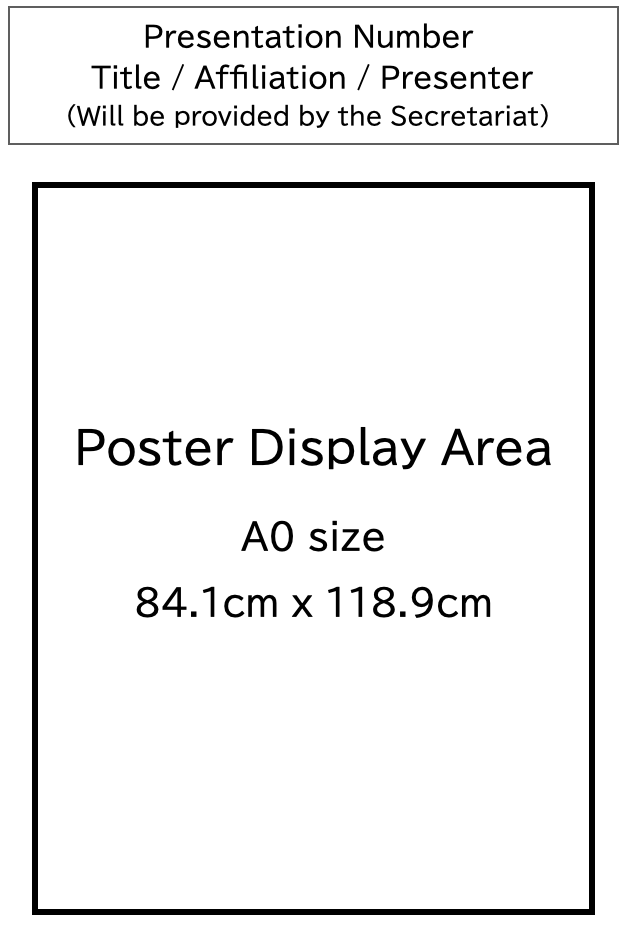
『演題番号、演題名・所属・演者名』を貼ったポスターパネルと画鋲を用意します。
所定の位置に貼付してください。 - 発表形式
A0サイズ(84.1cm×118.9cm)のスペースに本文を掲示してください。 - ポスター発表時間
10月2日(金)12:45~13:30
10月3日(土)12:45~13:30
発表3分質疑3分(時間を厳守してください) - ポスター撤去時間
10月2日(金)17:30~18:00
10月3日(土)15:30~16:00
撤去時間を過ぎてもポスタ ー が撤去されていない場合は、 事務局にて処分させていただきます。
Information for Presenters
For Oral Presenters
- Please prepare your presentation slides in English. Japanese is available in your talk.
- Presentations must be given using a PC and PowerPoint slides.
- A Windows PC will be provided at the venue.
- The compatible software is PowerPoint 2024.
- To prevent text errors (font display problems), please use standard Windows fonts.
- Please prepare your slides in widescreen format (16:9).
- Please name your presentation file as "Presentation Number_Your Name".
- Please bring your presentation data on a USB flash drive. Please copy the data to the computer in the presentation room beforehand and make sure that it opens and plays correctly.
- Please note that Presenter View cannot be used.
- For Mac users, please check that your file works on a Windows PC with the above settings before bringing it to the venue.
- Please submit your presentation data and test it at the PC Center at least 30 minutes before your session starts.
- Even if you bring your own laptop, please make sure to visit the PC Center.
<PC Center>- October 2nd (Fri) 8:50 - 16:00
- October 3rd (Sat) 8:50 - 14:30
- Location: 3rd Floor Lobby
- You cannot edit your presentation data at the PC Center. Please finish all edits before submitting your slides.
- Please strictly follow the presentation time to help the program run smoothly.
- The presentation times are as follows:
- General Oral Presentation: 6 minutes presentation and 4 minutes Q&A
- General Poster Presentation: 3 minutes presentation and 3 minutes Q&A
- Please take a seat in the next presenter’s seat (in the front row on the left side of the room) at least 10 minutes before your session starts.
- After the meeting, all presentation data will be safely deleted by the conference secretariat.
< Guidelines for Bringing Storage Media and Personal Laptops >
- To prevent data loss, please make a backup file in advance.
- If your presentation includes video or audio, please inform the staff at the PC Center when you check in.
- If you bring presentation data with videos on a USB flash drive, please also bring your own laptop as a backup.
- Please note that the conference organizers cannot take responsibility if any problems occur with your video files.
- After checking your laptop at the PC Center, please bring it to the PC operator's desk (tech supporting team) inside the presentation room. Your laptop will be returned to you at the PC operator's desk after your presentation. The projector uses an HDMI connection. Please confirm that your PC has a compatible video output. If you need a special adapter, please bring your own.
- Please turn off the screen saver and power-saving settings on your laptop before your presentation.
- Please bring your own power cable. Running your presentation on battery power may cause technical problems.
- To avoid data loss from your own PC, please make a backup of all files before bringing it to the meeting.
- You cannot use tablet devices (e.g., iPads) for your presentation.
Conflict of Interest (COI) Disclosure
For oral presentations, please disclose your COI for the past 1 year on the slide right after the title/presenter slide. For poster presentations, please display it at the very bottom of your poster.
Please see the sample slide on the conference website to check how to disclose your COI.
For more details about COI disclosure requirements, please check the conference website.
For Poster Presenters
- Please prepare your poster in English.
- Poster PDF submission
In addition to posting at the venue, posters will also be posted online during the exhibition period, so please send the data for online posting by the deadline.
Deadline: Until 17:00 on Monday, September 28
Please send the data from the following form. Please keep the size of the data 20MB or less.
Poster data submission form - Poster Setup Time
- October 2nd (Fri) 9:00 – 17:30
- October 3rd (Sat) 9:00 – 16:00
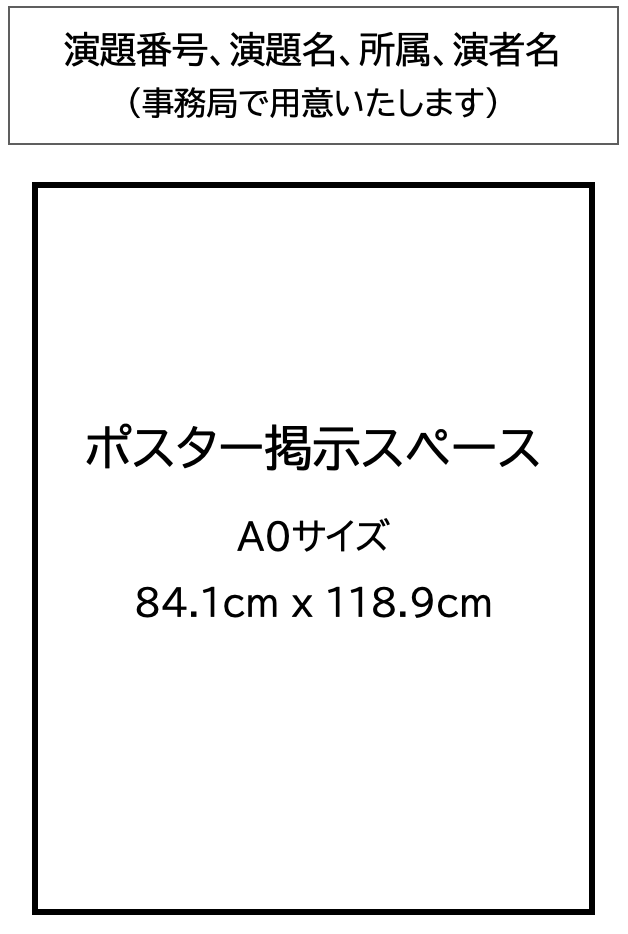
- We will prepare a poster panel and thumbtacks with "title number, title, affiliation, and name of the performer".
Please attach it to the designated position.
- Poster Format
Please display the main text within an A0-sized space (84.1 cm × 118.9 cm). - Poster Presentation Time
- October 2nd (Fri) 12:45 - 13:30
- October 3rd (Sat) 12:45 - 13:30
- Presentation: 3 minutes Q&A: 3 minutes (Please strictly follow the time limit)
- Poster Removal Time
- October 2nd (Fri) 17:30 - 18:00
- October 3rd (Sat) 15:30 - 16:00
- Any posters remaining after this period will be discarded by the conference secretariat.